Prescription software for Indian doctors
“What did the doctor write?”Now everyone can read it.
RxKite turns your OPD notes into a clear printed prescription in under a minute, on the pad you already use. Every patient's past prescriptions stay one search away.
- 14 days of Pro included
- No card needed
- Works on your printed pad
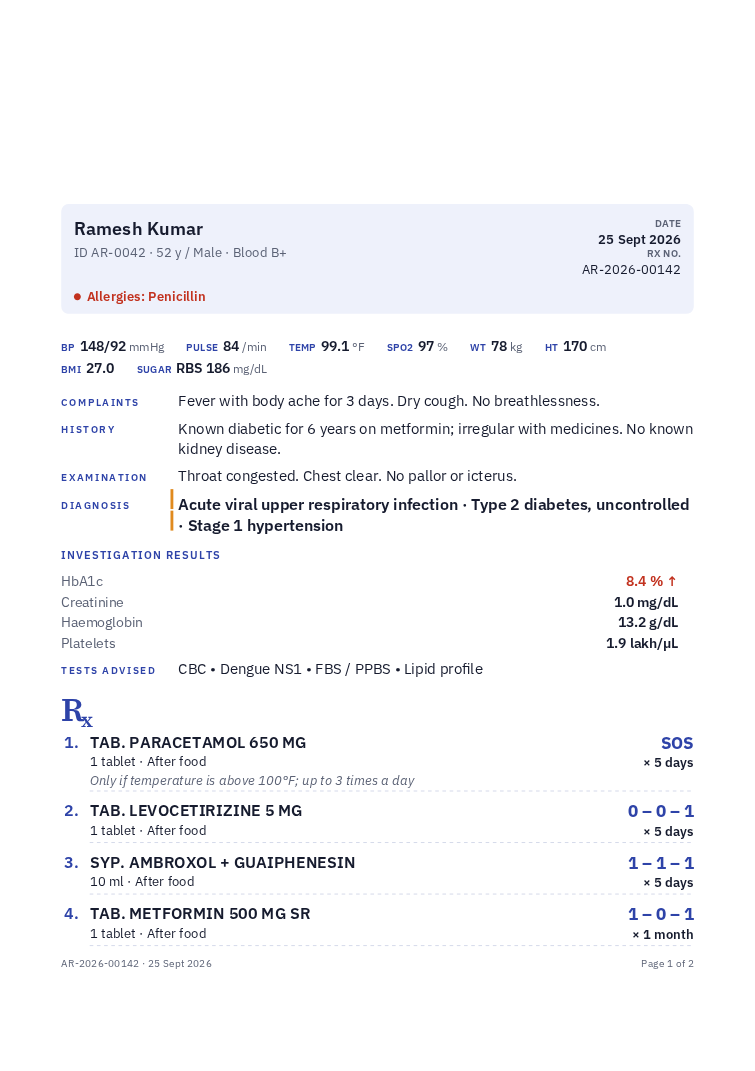
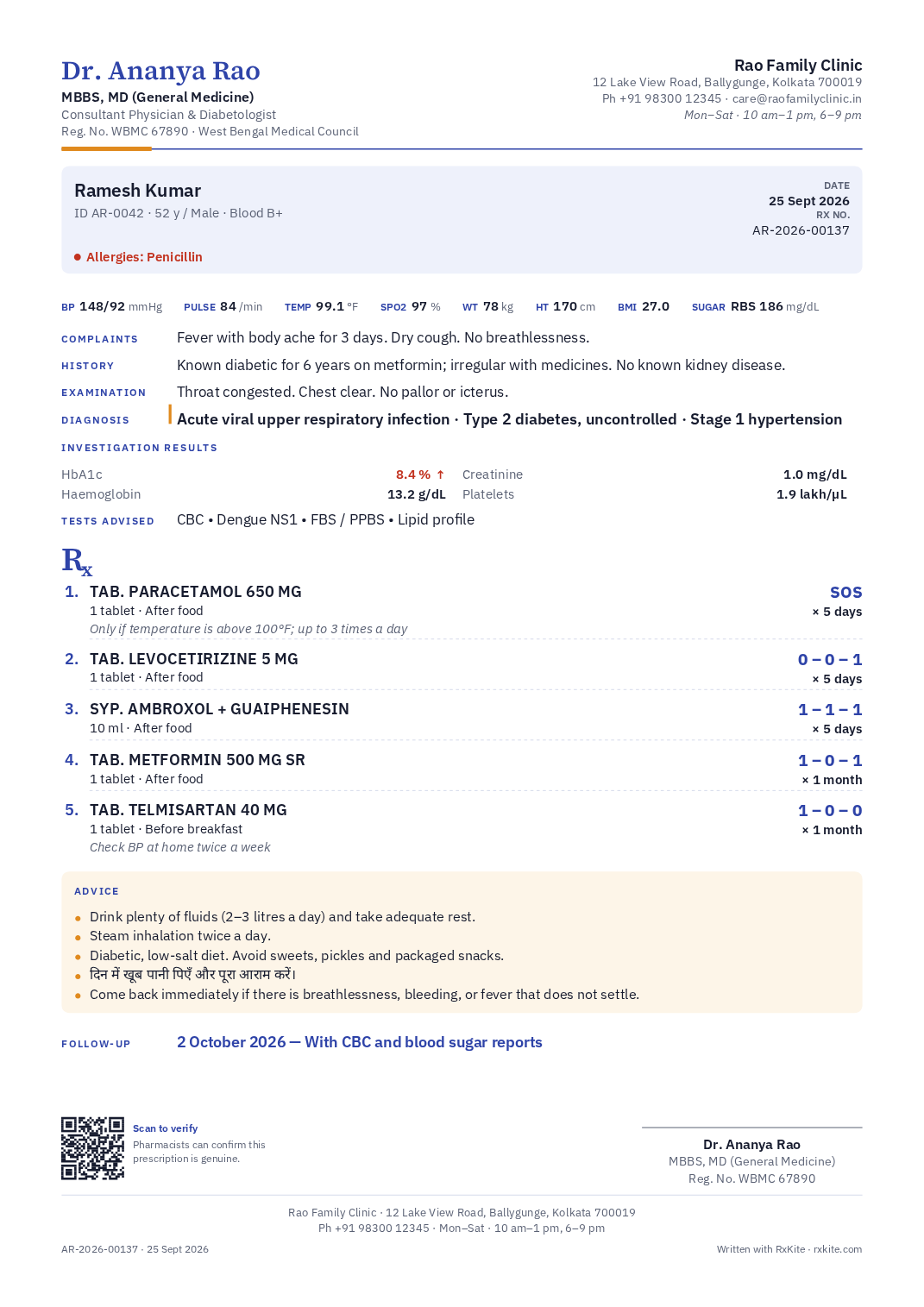
Not an EMR maze.
No forty-field forms. Every section is optional; empty ones are not printed.
Not a booking app.
No commissions, no patient payments, no marketplace. Your patients stay yours.
A pad that remembers.
Every prescription is filed under the patient, searchable and reprintable for years.
The one-minute visit
Three steps, and the patient walks out with a prescription they can read.
- 1
Find or register the patient
Type a name, mobile number or patient ID. New patients take ten seconds, once. Age, allergies and history fill in on every visit after.
- 2
Write the visit
Medicines you have prescribed before complete themselves with your usual dose. Templates and “repeat last” turn routine follow-ups into a few taps.
- 3
Print, or send by email
On your own pre-printed pad, letterhead or plain paper. Sign by hand, or print your signature. The prescription is filed under the patient automatically.
Your pad, your printer
Prints on the paper you already have.
Keep your printed pads. Tell RxKite how tall your header and footer are, print one test page to check, and every prescription lands in the blank space, with your name never printed twice. Or let RxKite print the whole pad on plain paper in the colours you choose.
Pre-printed pad
Only the prescription prints, inside the blank area. Doctor name, clinic header and footer are skipped.
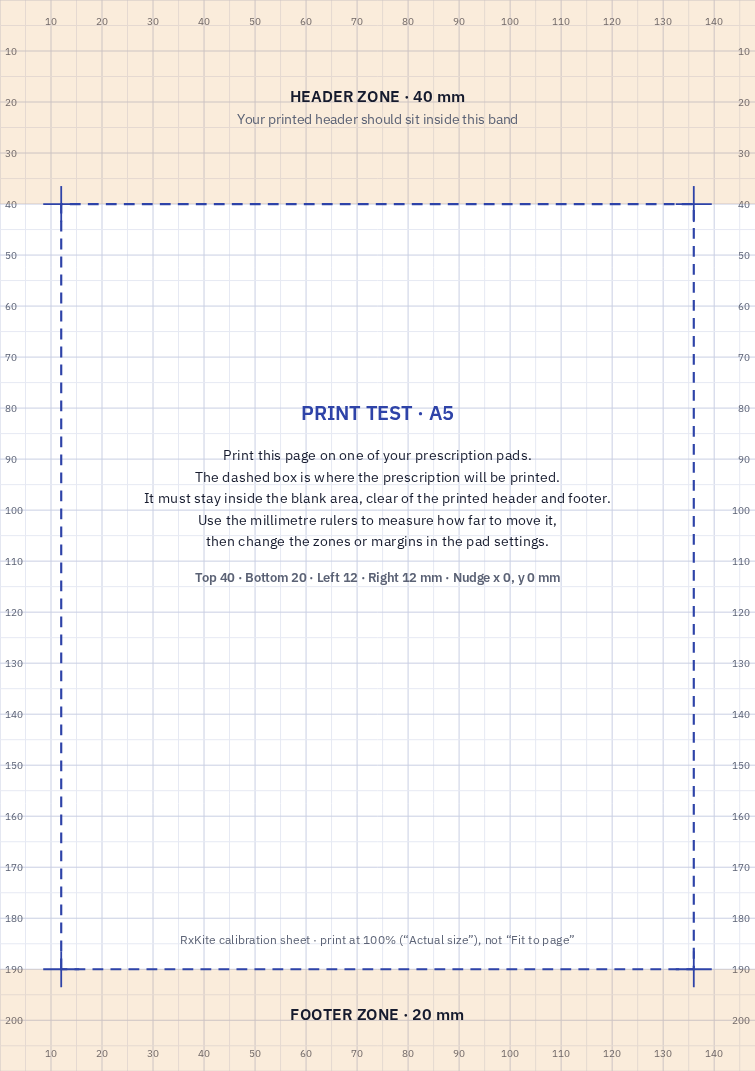
A test page that lines it up
Shaded header and footer zones with millimetre rulers. Adjust by the difference; nudge for printers that feed a little off.
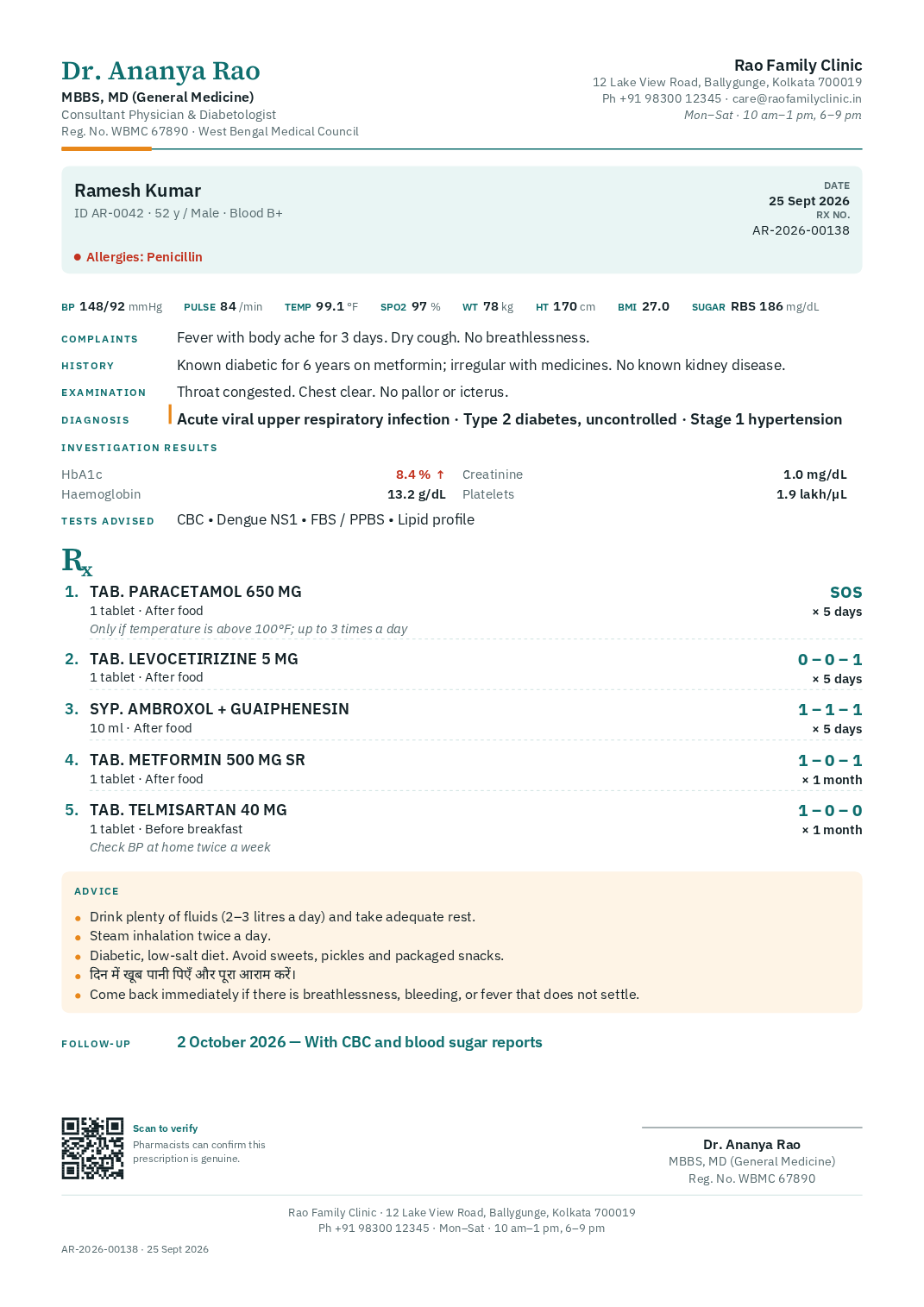
Or a complete pad on plain paper
Your header, footer and colours, on A4, A5, Letter or any custom size. Or upload your letterhead file.
Made for a busy OPD
Everything a prescription needs. Nothing it doesn't.
Every old prescription, one search away
Search by name, mobile or ID. The whole history of a patient is on one page, newest first.
Remembers how you prescribe
Your medicines, doses and advice are suggested as you type, most-used first. Nothing to set up.
Templates for common visits
Viral fever, hypertension follow-up, antenatal visit: save once, apply in one click, adjust.
Allergy alerts
Recorded allergies show in red and warn you when a medicine matches, before you sign.
Verification QR
Pharmacists scan to confirm the prescription is genuine and not voided. Patient details stay private.
Email to the patient
Send the signed PDF from your clinic's name. Replies come to your clinic email.
Hindi advice prints properly
Type advice in Hindi or any Devanagari script alongside English; it prints correctly.
Fast at the keyboard
Ctrl+N for a new prescription, Ctrl+K to find a patient, Ctrl+P to sign and print. Drafts save as you type.
Your data, always exportable
Download every patient and prescription, with PDFs, whenever you want. No lock-in.
Legible by design
Built around the NMC's guidance on prescriptions.
- Your name, qualifications, registration number and council on every page
- Clear print, with medicine names in capitals by default
- Dose, frequency, timing and duration in a consistent layout
- Signed prescriptions are locked; corrections are voided with a reason, never silently edited
Your records, protected
Patient data treated like it matters.
- Encrypted connections, and an email code when signing in from a new device
- Nightly encrypted backups kept in a separate location
- A full export of your patients and prescriptions whenever you want
- Delete your account and everything in it, any time
Simple pricing
About one consultation fee a month.
Start with 14 days of Pro, free. Stay on the Free plan as long as you like, or pick Standard or Pro when your OPD grows.
Compare plansFree
₹0
for ever
10 prescriptions filed a month, unlimited patients, every printing option.
Standard
₹299
a month, or ₹2,999 a year (₹8.22 a day)
500 prescriptions filed a month, up to five pad layouts, no RxKite credit line.
Pro
₹499
a month, or ₹4,999 a year (₹13.70 a day)
Unlimited prescriptions, everything in Standard, priority support.
Questions doctors ask
Frequently asked
Is RxKite an EMR?
No, on purpose. RxKite does one job: it helps you write a clear prescription quickly and keeps every prescription on file under the patient. There is no appointment booking, no billing of patients and nothing to set up beyond your pad.
Can I keep using my printed prescription pad?
Yes. Choose “Pre-printed pad”, enter the height of your printed header and footer, print the test page once to check, and every prescription prints neatly in the blank space. Your name and clinic details are not printed twice.
Do I have to sign every print?
You choose each time you print: sign by hand in the space left for you, or print your uploaded signature and stamp. Emailed prescriptions include your uploaded signature, since the patient cannot receive a hand-signed copy.
Does it follow NMC guidance on prescriptions?
Every prescription carries your name, qualifications and registration number with your council, is printed clearly, and by default prints medicine names in capitals. Prescribing decisions, including generic names, remain yours.
What happens when I reach my plan's monthly limit?
Nothing stops you mid-clinic. You can still print; the prescription just is not kept on file until the next month or until you move to a bigger plan.
Does it work on a tablet or phone?
Yes. It runs in the browser on computers, tablets and phones. A computer or tablet next to the printer is the most comfortable in the OPD.
Can I print in Hindi?
Advice and instructions can be typed in Hindi or any Devanagari script and print correctly, alongside English.
Who can see my patients’ data?
Only you, when signed in. Data is encrypted in transit, backed up nightly in encrypted form, and you can download a complete export or delete your account whenever you like.
What do patients need?
Nothing. They get a printed prescription, or a PDF by email if you send one. Pharmacists can scan the QR code to confirm it is genuine.
Write your next prescription with RxKite.
Set up takes ten minutes: your details, your pad, one test print. Bring your registration number.